If you want to learn how to send free SMS from website using PHP, you need more than a random code snippet copied from a forum. You need a clear method that explains how a website form connects to PHP, how PHP passes the message to an SMS gateway, and where free testing options usually fit into the process.
This guide gives you that structure in plain English, so you can build a simple SMS feature, avoid common mistakes, and understand what changes when you move from free testing to real-world sending.
What “Free” Really Means In PHP SMS Projects
When you start researching free SMS sending, the first thing to understand is that “free” rarely means unlimited production messaging. In most cases, it means a provider gives you a trial balance, a test environment, a sandbox, or a small number of free credits so you can build and verify your PHP integration before paying for scale.
That distinction matters because it shapes your expectations and your technical plan. If your goal is learning, prototyping, or sending a few internal alerts, a free trial can be enough to prove your workflow, and tools such as sms automation that increase ecommerce revenue also show why message structure and timing matter even before you start spending money on larger campaigns.
You should also know that some setups are not fully cloud-based. A few methods route messages through a local gateway, a modem, or a self-hosted environment, which can reduce costs in some situations, but they also create more work with setup, maintenance, and reliability.
Build The Basic Website To PHP To Gateway Workflow
A clean PHP SMS system usually starts with a simple HTML form on your website. That form collects the phone number, message content, and sometimes optional details such as sender name, country code, or message type.
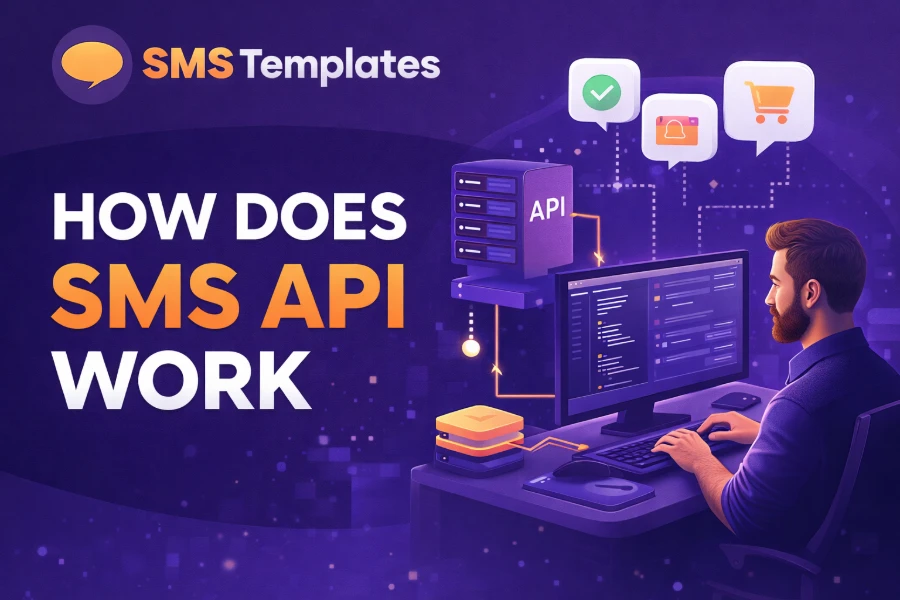
Once the user submits the form, your PHP script receives the data through POST, validates it, and prepares the outbound request. At that point, PHP either sends an HTTP request directly to an SMS gateway or uses a provider library that handles authentication, formatting, and response parsing for you.
This is the simplest way to think about the process:
- Your site collects input
- PHP processes the input
- The gateway accepts the request
- The SMS network delivers the message
- The provider returns a status or error
When you understand that chain, the code becomes much less intimidating. You are not making PHP “send a text by itself,” because PHP is really acting as the middle layer that turns website data into a gateway-friendly request.
Choose Between Raw HTTP Requests And A PHP Library
You can send SMS from PHP in two common ways, and each has its place. The first option is to make raw HTTP requests to the SMS provider’s API endpoint, while the second is to install the provider’s PHP SDK or wrapper and use its built-in methods.
Raw HTTP gives you more control and helps you learn what is happening under the hood. It is useful when you want a lightweight setup, when the provider has a clear API reference, or when you want to customize the request flow without depending on a package.
A PHP library is usually faster and safer for beginners because it handles repetitive tasks such as authentication headers, request formatting, and response objects. That is one reason content focused on AI content generators is relevant in a broader sense, because it highlights how tools save time when you want cleaner output and more efficient workflows, rather than rebuilding everything from scratch.
If your goal is speed, start with the library. If your goal is deeper technical understanding, try raw HTTP after you have a working version.
Set Up Your PHP Environment The Right Way
Before you write any SMS logic, make sure your environment is ready. You need a working PHP installation, a local or live web server, outbound internet access, and enough permission to install packages if you plan to use Composer.
You also need to collect the essentials from your SMS provider. These usually include an account, an API key or token, a sender configuration if the provider supports branded sending, and a test balance or sandbox account if the provider offers free development access.
A good setup also includes content planning, because sending a message is only half the job. Resources like content generator tools and uses underline a useful lesson here: tools are most effective when they help you create short, purposeful content, and that principle fits SMS perfectly because every word in a text message needs to earn its place.
Keep your config values outside your main script when possible. Store tokens in environment variables or a separate config file, and never hardcode live credentials into pages that could be exposed.
Validate Input Before You Send Any Message
Input validation is where many small PHP SMS projects either become reliable or become risky. If you accept unchecked numbers and unchecked message content from a public form, you can end up with delivery failures, spam abuse, malformed requests, and even unexpected costs once your free balance is gone.
Start by cleaning the phone number. Remove spaces, standardize the country code format, and reject entries that do not match the structure required by your chosen gateway.
Then review the message body itself. Limit length, strip dangerous characters where appropriate, and block empty submissions, because providers may reject blank or malformed payloads.
A strong validation routine should confirm:
- A real-looking phone number
- A non-empty message
- Safe character handling
- Reasonable message length
- Required country or sender fields
This is also the point where you can add anti-abuse controls such as rate limits, CAPTCHA, or basic logging. Even a free SMS feature should not be left open to repeated anonymous submissions without protection.
Handle API Responses And Errors Like A Professional
A serious PHP SMS feature does not stop at “message sent.” It checks the provider response, stores useful data, and tells you what happened next.
Most gateways return a status, message identifier, or response code after submission. Some also return pricing information, balance usage, scheduling confirmation, or detailed error messages when authentication fails, the number is invalid, or the provider blocks the request.
That means your script should do three things after every send attempt. It should record the result, show a safe user-facing message, and keep technical details available for debugging in logs rather than printing raw errors to the screen.
Useful outcomes to track include:
- Accepted for delivery
- Rejected by validation
- Authentication failed
- Insufficient credits
- Invalid destination number
This matters even more in free setups, since trial accounts often have additional restrictions. If you do not read the response carefully, you may think your PHP code is broken when the real issue is that your provider only allows verified test numbers or limited regional sending.
Write SMS Content That Fits The Medium
A website can collect long text, but SMS works best when the message is brief, direct, and easy to understand at a glance. That means you should avoid clutter, get to the point quickly, and write as if the reader is checking the message while busy.
The strongest messages usually contain one clear purpose. That could be a verification code, an appointment reminder, an order alert, a support notice, or a short promotional update.
When writing message content, focus on:
- Clear context
- One main action
- Short wording
- Natural punctuation
- Easy scanning on mobile
If you are building for business use later, create reusable templates inside your PHP project. Template-based sending helps you keep wording consistent, swap variables like names or codes, and reduce the chance of sending messy or incomplete messages.
Know When To Move Beyond “Free” And Scale Properly
Free SMS options are useful for learning, testing, and validating your workflow, but they are rarely enough for long-term use. Once your website starts sending messages to real users consistently, you need better deliverability, clearer reporting, stronger support, and a provider plan that matches your traffic.
That is also when architecture matters more. You may need queueing, scheduling, delivery callbacks, country-specific rules, template management, opt-out handling, and secure logging to support a larger operation without turning your PHP app into a fragile patchwork.
The smart path is to treat free SMS as your training ground. Use it to understand the website form, PHP processing, API authentication, response handling, and content design, then move to a paid or more robust model once your feature proves useful and your message volume becomes predictable.
Conclusion
Once you understand how to send free SMS from website using PHP, the process becomes much more practical than it first appears. You create a form, validate the input, pass the data through PHP, connect to a gateway via an HTTP request or a library, and then monitor the response to see whether the message was accepted or rejected.
The biggest lesson is that free SMS usually means testing access, not unlimited sending, so your goal should be to build a dependable workflow first. If you do that well, you will already have the foundation needed to scale later with better security, stronger message templates, and a provider plan that fits real traffic. That is the best way to move from a small PHP experiment to a website feature that actually works for users.